Overview
TENADA: Graphic Design Editor, presented as "Tenada: The Ultimate AI, Logo & Design Studio," is a robust, all-in-one mobile application designed for comprehensive graphic design. It skillfully integrates cutting-edge AI generation capabilities with a suite of professional editing tools, catering to both novice and experienced designers. The app aims to serve as a singular creative hub where users can conceptualize, design, and finalize a wide array of visual content, from intricate logos to dynamic social media animations.
The application pushes the boundaries of mobile design by offering advanced functionalities like hyperrealistic AI transformations, 3D typography, and a seamless workflow for various creative projects. Whether the goal is to generate professional portraits, transform photos into 3D characters, create studio-quality headshots using generative AI, or build a distinctive brand identity with customized logos and effects, TENADA provides the necessary tools. Its intuitive interface and powerful features are geared towards streamlining the design process, allowing users to manage their entire creative workflow within a single, powerful platform.
Key Features
- AI Photo & Visual Design: Features like AI Face Transformation, AI Figure & Avatar Maker, and Magic AI Studio allow for hyperrealistic and artistic AI-driven image generation.
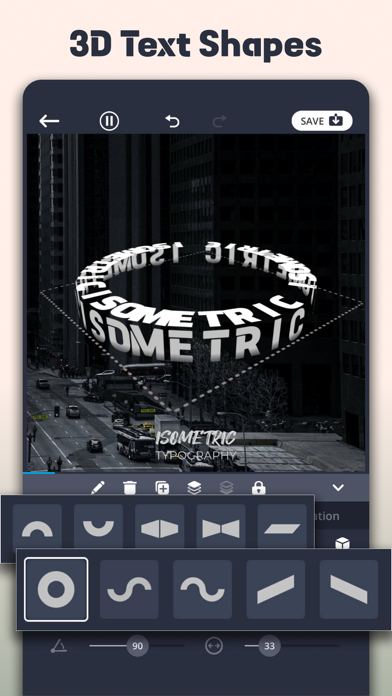
- Professional Logo Maker & 3D Text Art: Create unique brand logos with signature effects, advanced typography shaping (donut, circle, wave), and true 3D space control for depth and shadows.
- Custom Font Integration: Upload and use personal fonts or select from a library of free fonts to design professional logos and text elements quickly.
- Text Animation: Animate typography with various effects to produce engaging Reels and dynamic social media content.
- Dynamic Animation & Motion Design: Enhance visuals with over 300 VFX and motion effects, including particles and light leaks.
- Pro Editing Tools: Utilize advanced features like background cutout and chroma key for seamless and efficient photo and video editing workflows.
- Marketing & Social Templates: Access high-impact templates suitable for creating posters, flyers, business intros, and artistic collages with unique layouts like book cover styles and polaroid aesthetics.
Who It's For
TENADA: Graphic Design Editor is ideal for social media content creators, small business owners looking to design their own branding, marketing professionals needing quick and effective visual assets, and aspiring graphic designers seeking an accessible yet powerful mobile design studio. It also appeals to individuals interested in leveraging AI for creative photo and character transformations, as well as anyone looking to add dynamic animation and professional polish to their visual projects without needing desktop software.